An MCP server for timed, multi-step schedules
Rhylthyme is an MCP server that turns Claude, or any MCP client, into a real-time orchestration copilot for any multi-step parallel task — cooking, lab protocols, event run-of-show, training. Ask for any program and Claude returns a live timeline with parallel tracks, real timers, and shared-resource scheduling.
Try it
Claude routes to the right tool automatically when you talk naturally — no commands to memorize.
What you get
Focused versions
Rhylthyme also comes as four connectors set up for one kind of work. Each is this connector plus two shortcuts, with catalog search starting in its own area: Kitchen (recipes), Lab (protocols), Events (event templates) and Gym (workouts). You only need one.
Install

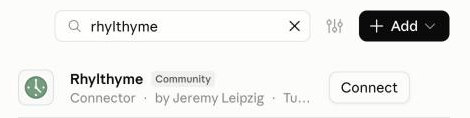
Advanced: add it by URL, or edit claude_desktop_config.json
Add it as a custom connector ( → ) with this URL:
https://mcp.rhylthyme.com/mcp
To wire it up through the config file instead, add this to your mcpServers block (it needs Node.js for npx):
{
  "mcpServers": {
    "rhylthyme": {
      "command": "npx",
      "args": ["-y", "mcp-remote", "https://mcp.rhylthyme.com/mcp"]
    }
  }
}
Reach the file via → → , then restart Claude Desktop.
Other MCP clients
Rhylthyme is a remote MCP server (Streamable HTTP, no sign-in needed for the public tools), so any client that takes a server URL can use it.
Claude Code
claude mcp add --transport http rhylthyme https://mcp.rhylthyme.com/mcp
Cursor and other clients: add it to the client's mcpServers settings (for Cursor, ~/.cursor/mcp.json):
{
  "mcpServers": {
    "rhylthyme": { "url": "https://mcp.rhylthyme.com/mcp" }
  }
}
What it doesn't do
- No tracking, no ads, no personal data shared with Anthropic or third parties
- No login required for public programs
- Optional account to save your own (Google / Apple / email magic link)
- Tool returns are markdown summaries — full data only fetched when you open the live timeline
Why Rhylthyme
Built for any work where several things run at once against a clock and share the same equipment or people.